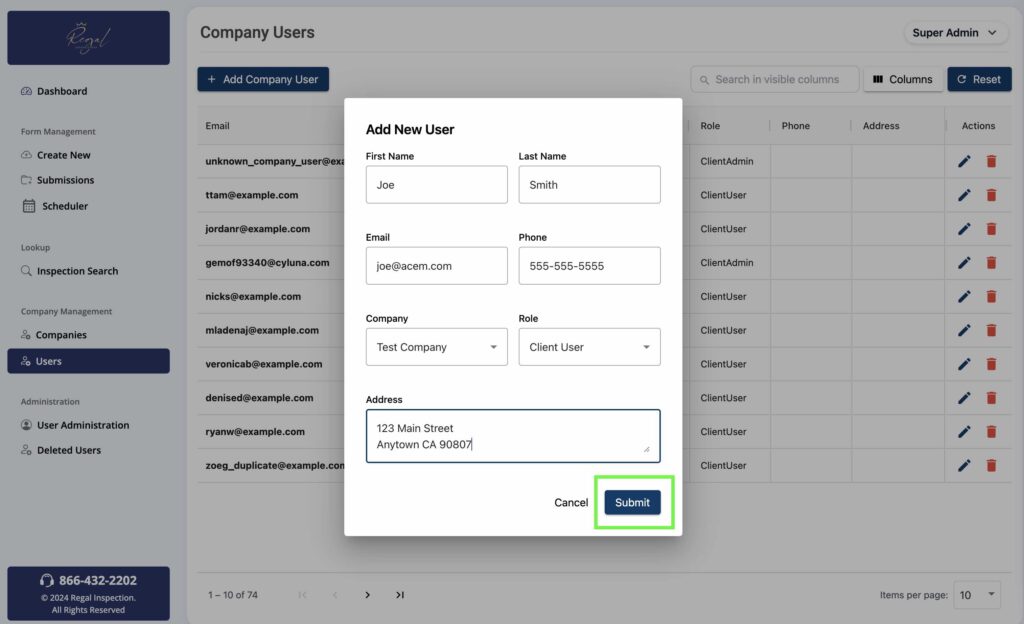
To add a new user to the system, navigate to the “Manage” section on the left and click “Users”, then click the “Submit New” button.
Add Company User
Click the “Add Company User” button at the top of the screen.
Add New User Details
Next, fill out the contact details for the new user, then click “Submit”. The new user will receive an invitation to create their own password used to login.
Edit Or Delete Users
To edit the contact details of an existing user, or delete a user, click either icons on the far right for the specific user account you would like to modify.